mirror of
https://github.com/rwinkhart/glamour-temp-MUTN.git
synced 2026-10-27 03:29:58 -04:00
 dependabot[bot]
914a6a6c92
dependabot[bot]
914a6a6c92
Bumps [github.com/muesli/termenv](https://github.com/muesli/termenv) from 0.14.0 to 0.15.0.
- [Release notes](https://github.com/muesli/termenv/releases)
- [Commits](https://github.com/muesli/termenv/compare/v0.14.0...v0.15.0)

---
updated-dependencies:
- dependency-name: github.com/muesli/termenv
  dependency-type: direct:production
  update-type: version-update:semver-minor
...

Signed-off-by: dependabot[bot] <support@github.com>
Glamour





Stylesheet-based markdown rendering for your CLI apps.
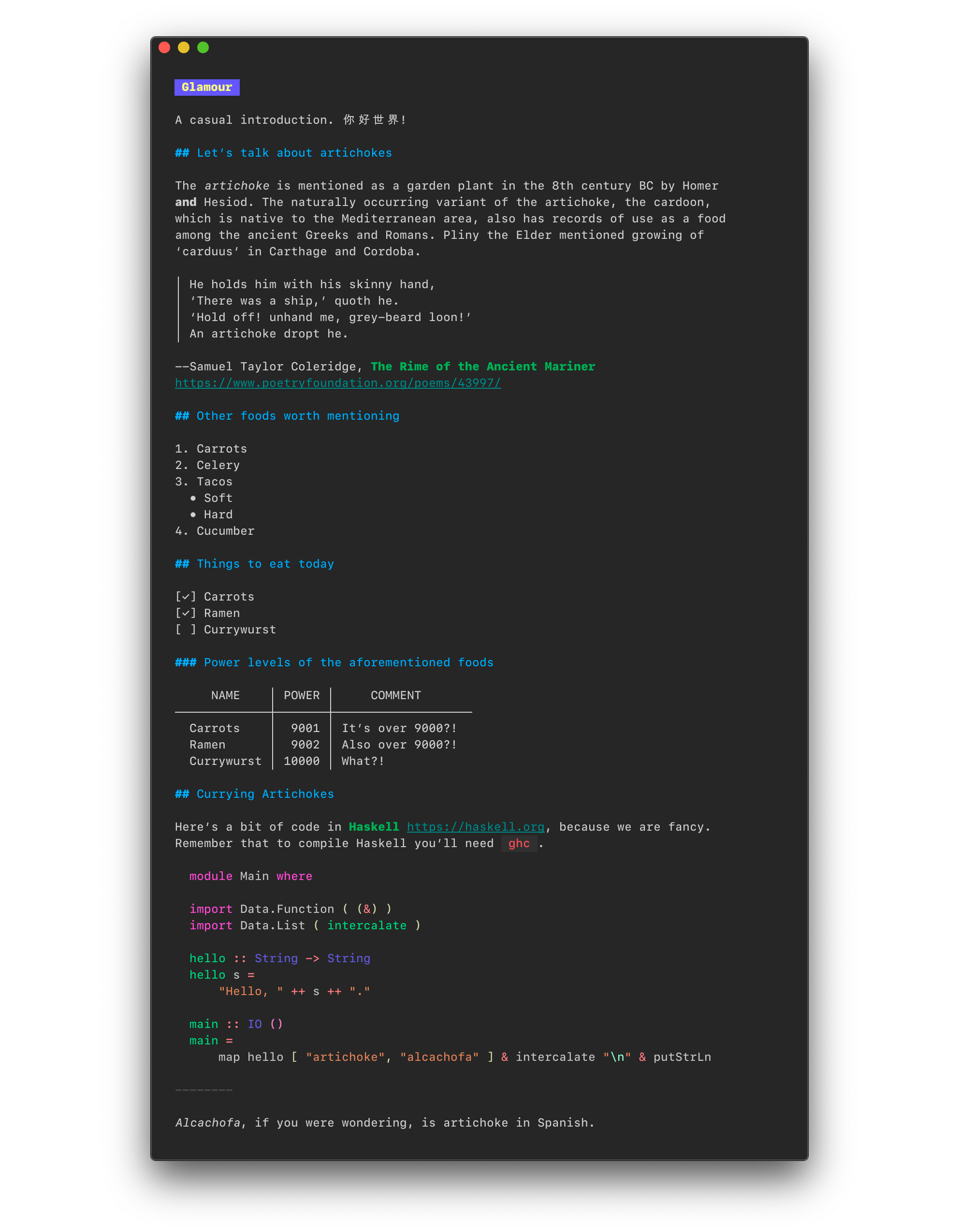
glamour lets you render markdown
documents & templates on ANSI
compatible terminals. You can create your own stylesheet or simply use one of
the stylish defaults.
Usage
import "github.com/charmbracelet/glamour"

in := `# Hello World

This is a simple example of Markdown rendering with Glamour!
Check out the [other examples](https://github.com/charmbracelet/glamour/tree/master/examples) too.

Bye!
`

out, err := glamour.Render(in, "dark")
fmt.Print(out)

Custom Renderer
import "github.com/charmbracelet/glamour"

r, _ := glamour.NewTermRenderer(
    // detect background color and pick either the default dark or light theme
    glamour.WithAutoStyle(),
    // wrap output at specific width (default is 80)
    glamour.WithWordWrap(40),
)

out, err := r.Render(in)
fmt.Print(out)
Styles
You can find all available default styles in our gallery. Want to create your own style? Learn how!
There are a few options for using a custom style:
- Call
glamour.Render(inputText, "desiredStyle") - Set the
GLAMOUR_STYLEenvironment variable to your desired default style or a file location for a style and callglamour.RenderWithEnvironmentConfig(inputText) - Set the
GLAMOUR_STYLEenvironment variable and passglamour.WithEnvironmentConfig()to your custom renderer
Glamourous Projects
Check out these projects, which use glamour:
- Glow, a markdown renderer for the command-line.
- GitHub CLI, GitHub’s official command line tool.
- GLab, an open source GitLab command line tool.
- Gitea CLI, Gitea's official command line tool.
- Meteor, an easy-to-use, plugin-driven metadata collection framework.
Feedback
We’d love to hear your thoughts on this project. Feel free to drop us a note!
License
Part of Charm.

Charm热爱开源 • Charm loves open source